Startseite  Erweiterungen MyBB 1.8.x Plugins - Profile Avatar Gallery v1.0.3
Avatar Gallery
Adds a secure, categorized avatar gallery to MyBB’s User CP, with automatic image discovery, optional random avatars for new users, and tools for repairing broken avatar assignments.
Version: v1.0.3
Autor: SickProdigy
Deutsche Übersetzung: noch nicht übersetzt
Hochgeladen: 02.10.2026
Letzte Aktualisierung: 02.10.2026
Support: https://forum.mybb.de/thread-39718.html (0 Beiträge)
Kompatibilität: MyBB 1.8.x
Bisherige Downloads: 0
Autor: SickProdigy
Deutsche Übersetzung: noch nicht übersetzt
Hochgeladen: 02.10.2026
Letzte Aktualisierung: 02.10.2026
Support: https://forum.mybb.de/thread-39718.html (0 Beiträge)
Kompatibilität: MyBB 1.8.x
Bisherige Downloads: 0
Vorschau
Avatar Gallery adds a secure, categorized avatar picker to the standard MyBB Change Avatar page. Administrators organize images into folders, while the plugin automatically discovers and displays them as selectable collections.
Features
- Categorized avatar gallery under User CP → Change Avatar
- Automatic recursive image discovery
- Subdirectories become selectable collections
- Compact, scrollable avatar grid
- Configurable default collection and gallery paths
- Optional random avatar assignment for new registrations
- Randomize existing users through Admin CP
- Repair missing local or gallery avatar assignments
- Give random avatars to users without an avatar
- Replace a specific saved avatar path or URL
- Background processing for large forums
- Supports GIF, JPG, JPEG, JPE, BMP, PNG, and optional WebP
- Secure server-side path and image validation
Requirements
- MyBB 1.8.x
- Avatar images stored in a web-accessible gallery directory
Installation
- Upload the contents of the included Upload directory to your MyBB root.
- Place avatar images inside:
images/avatars - Create folders to organize avatars into collections:
images/avatars/

├── general/

├── fantasy/

├── games/

│   └── rpg/

└── sci-fi/ - Install and activate Avatar Gallery under Admin CP → Configuration → Plugins.
- Review its settings under Admin CP → Configuration → Settings → Avatar Gallery.
Users can select gallery images under User CP → Change Avatar.
Settings
Avatar gallery directory
The filesystem directory MyBB scans, relative to the board root. Default:
images/avatarsThe public path used to display those images. This normally matches the gallery directory.
Allowed image extensions
gif,jpg,jpeg,jpe,bmp,png,webpDefault collection
Controls which collection appears first. Nested paths such as
games/rpgRandom avatar on registration
Assigns a random gallery avatar to newly registered users who would otherwise receive MyBB’s default avatar.
Avatar maintenance tools
Open:
Admin CP → Tools & Maintenance → Avatar Gallery Repair
Three maintenance actions are available:
- Repair Broken Avatar: Replaces missing saved local or gallery avatars. This is useful after renaming, moving, or deleting gallery files and folders.
- Fix No Avatar: Assigns random gallery avatars to users who currently have no saved avatar.
- Randomize Existing: Replaces an exact saved avatar path or URL with random gallery avatars.
Operations affecting 500 users or fewer run immediately. Larger operations are queued automatically and processed in batches through MyBB’s scheduled-task system.
The page displays job progress, prevents duplicate jobs, requires confirmation, and records operations in the administrator log. External avatar URLs are not changed unless entered explicitly under Randomize Existing.
Security
Every gallery selection is validated on the server. The plugin confirms that the image exists inside the configured gallery, uses an allowed extension, and does not use directory traversal or an escaping symbolic link.
Users cannot submit arbitrary filesystem paths or URLs as gallery selections.
Upgrading
Upload the new files over the existing plugin files. Reinstallation is not required.
After upgrading, open Avatar Gallery Repair once so the scheduled task and Admin CP components are synchronized. Existing settings and valid avatar assignments are preserved.
Version 1.0.3 changes
- Fixed HTTP 500 errors when saving gallery selections on strict MySQL or MariaDB installations.
- Added tools for repairing broken avatars, fixing users without avatars, and randomizing matching existing avatars.
- Added automatic immediate or background processing based on the number of affected users.
- Added queued-job progress reporting and duplicate-job protection.
- Added compatibility for gallery records created by earlier versions.
License and source
Avatar Gallery is released under the GNU General Public License v3.0.
GitHub repository
Quelle: Avatar Gallery bei MyBB.com
Ähnliche Erweiterungen
Avatar Gallery 1.0 von Nickman für MyBB 1.2.x
Allows you to have a simple gallery that displays all the avatars of your users in one easy to use place..
624 Downloads
Allows you to have a simple gallery that displays all the avatars of your users in one easy to use place..
624 Downloads
Avatar Gallery 1.5 von Starpaul20 für MyBB 1.8.x
Adds an avatar gallery to your board.
719 Downloads
Adds an avatar gallery to your board.
719 Downloads
Avatar Gallery Images 1.1 von Tigierz für MyBB 1.6.x
75 Avatars for your gallery that comes with MyBB.
48 Downloads
75 Avatars for your gallery that comes with MyBB.
48 Downloads
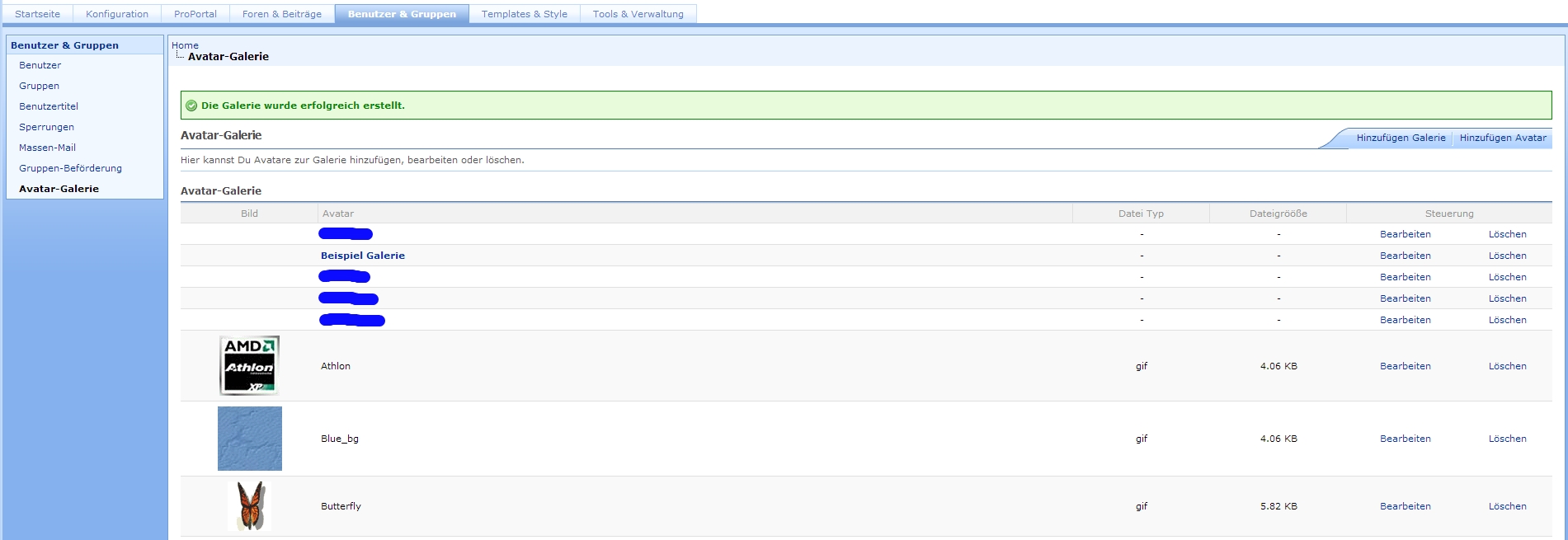
Avatar Gallery Manager 1.0 von Starpaul20 für MyBB 1.6.x
Erlaubt Ihnen die Verwaltung der Avatar-Galerien in Ihrem Admin-CP.
822 Downloads
Erlaubt Ihnen die Verwaltung der Avatar-Galerien in Ihrem Admin-CP.
822 Downloads